

Audit Logs
Track administrative actions in your organization
Audit logs record all administrative actions taken in your organization. Use them for security monitoring, compliance auditing, and change tracking.
Viewing Logs
- Go to Audit Log in the sidebar
- Browse or filter log entries
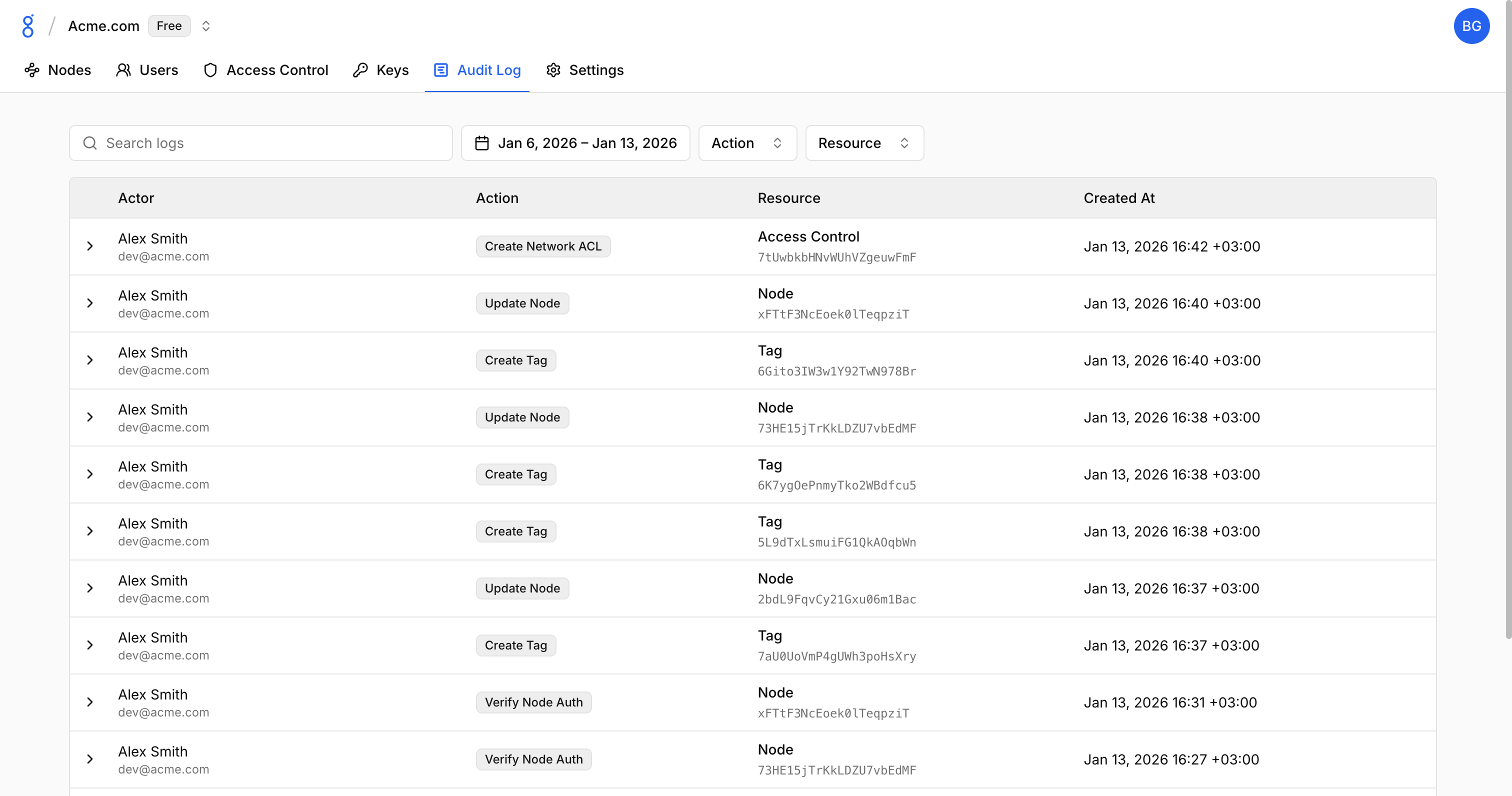
Filtering Logs
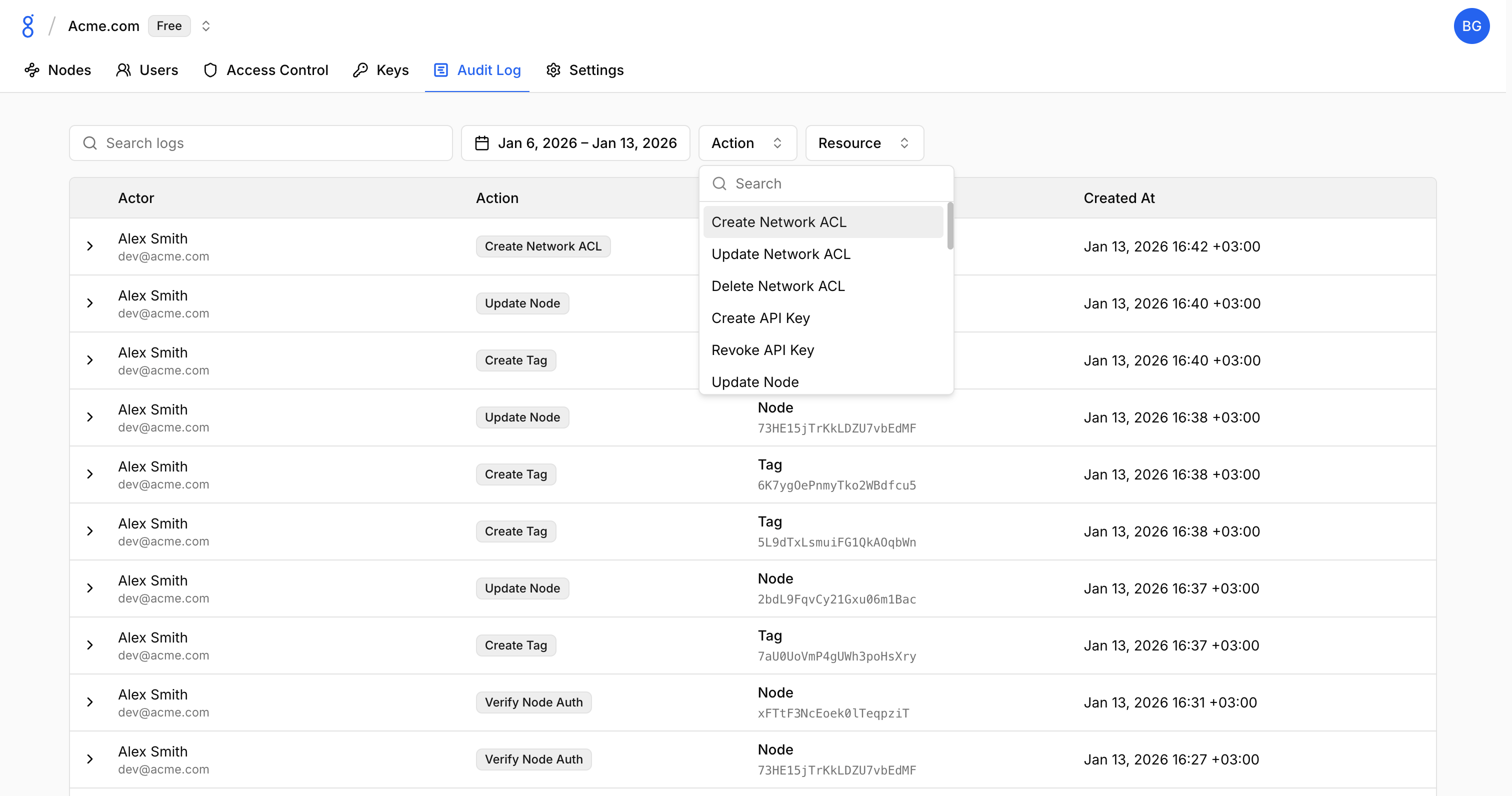
Filter by:
- Search: Text search in logs
- Date range: Select a specific time period
- Action: Filter by action type (Create, Update, Delete, etc.)
- Resource: Filter by resource type (Node, Tag, ACL, etc.)
Retention
Log retention period depends on your subscription plan.
See Also
- Security — Security overview
- User Roles — Who can do what
- Console Overview — Web interface tour
- Organizations — Organization settings