

Console Overview
Tour of the Baseguard web console
The Baseguard Console is a web-based administration interface for managing your mesh network. From here you can manage nodes, configure access control, and administer users.
Accessing the Console
Navigate to your console URL in a web browser:
https://console.baseguard.netOr your self-hosted console URL.
Dashboard Layout
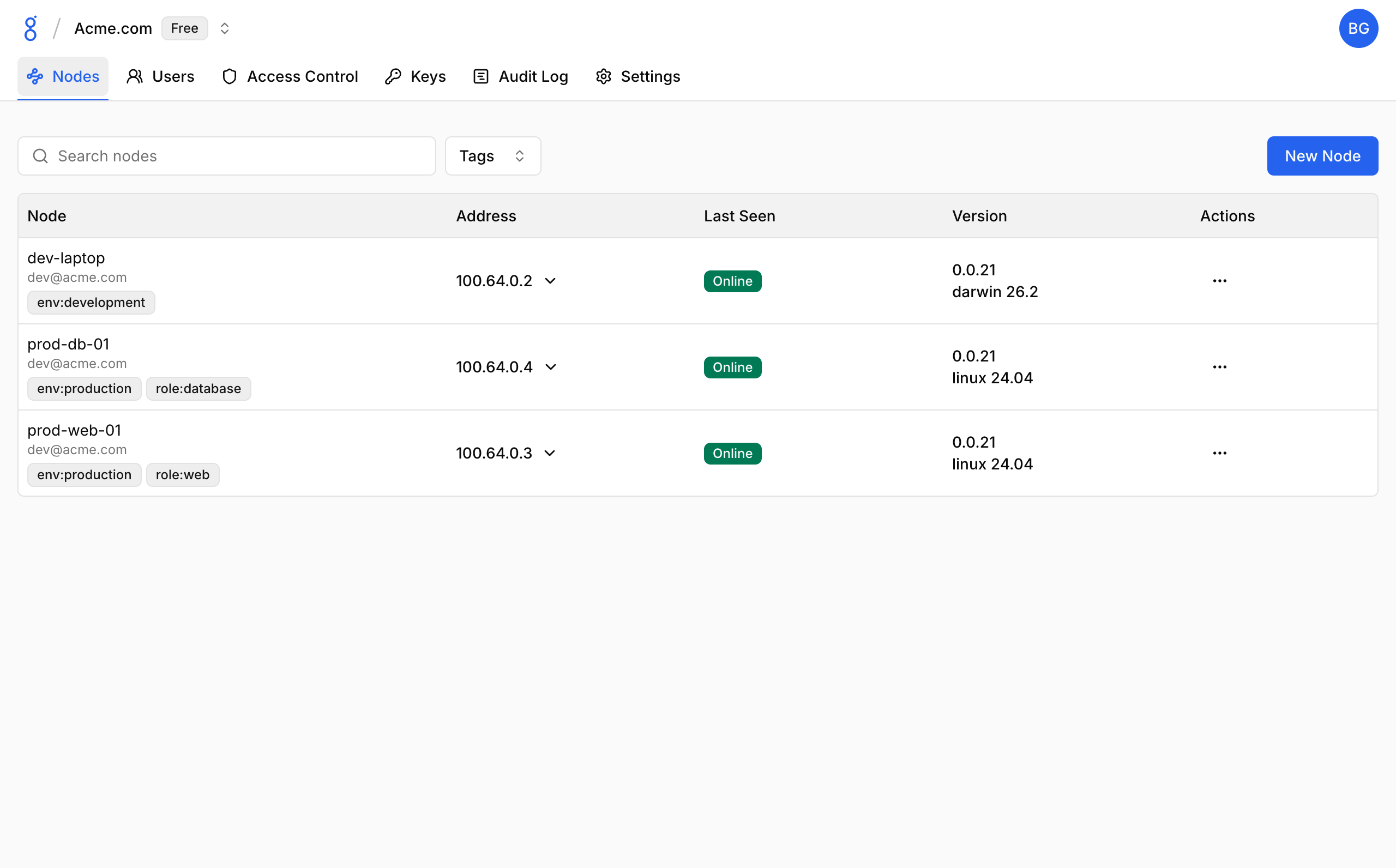
The console features a clean, intuitive interface with:
- Top navigation bar: Organization selector and user menu
- Side navigation: Quick access to all sections
- Main content area: Context-specific views and actions
Navigation
Organization Selector
If you belong to multiple organizations, use the organization dropdown to switch between them.
User Menu
Access account settings, profile, and logout from the user menu in the top-right corner.
Main Sections
Nodes
Manage devices connected to your network:
- View all nodes
- Pending nodes (awaiting approval)
- Node details and tags
- Remove nodes
Access Control
Configure network access (tabs within Access Control section):
- Network Rules: Define access rules (ACLs)
- Preview: Visualize rule connections
- Tags: Create and manage tags
Users
Manage team members:
- Invite new users
- Assign roles
- Remove users
Keys
Authentication keys:
- Node Auth Keys: For device enrollment
- API Keys: For programmatic access
Audit Log
View history of administrative actions:
- Who did what
- When it happened
- Filter by action type
Settings
Organization configuration:
- Name and details
- Node approval settings
- Key expiration policies
- DNS configuration
Mobile Access
The console is responsive and works on mobile devices, though a desktop browser is recommended for administrative tasks.
See Also
- Organizations — Configure your organization
- Nodes — Manage devices
- Users — User management
- Keys — Auth and API keys
- Audit Logs — Activity history