

Organizations
Create and manage organizations
Organizations are the top-level container for your Baseguard network. Each organization has its own overlay network, access control rules, and user membership.
Creating an Organization
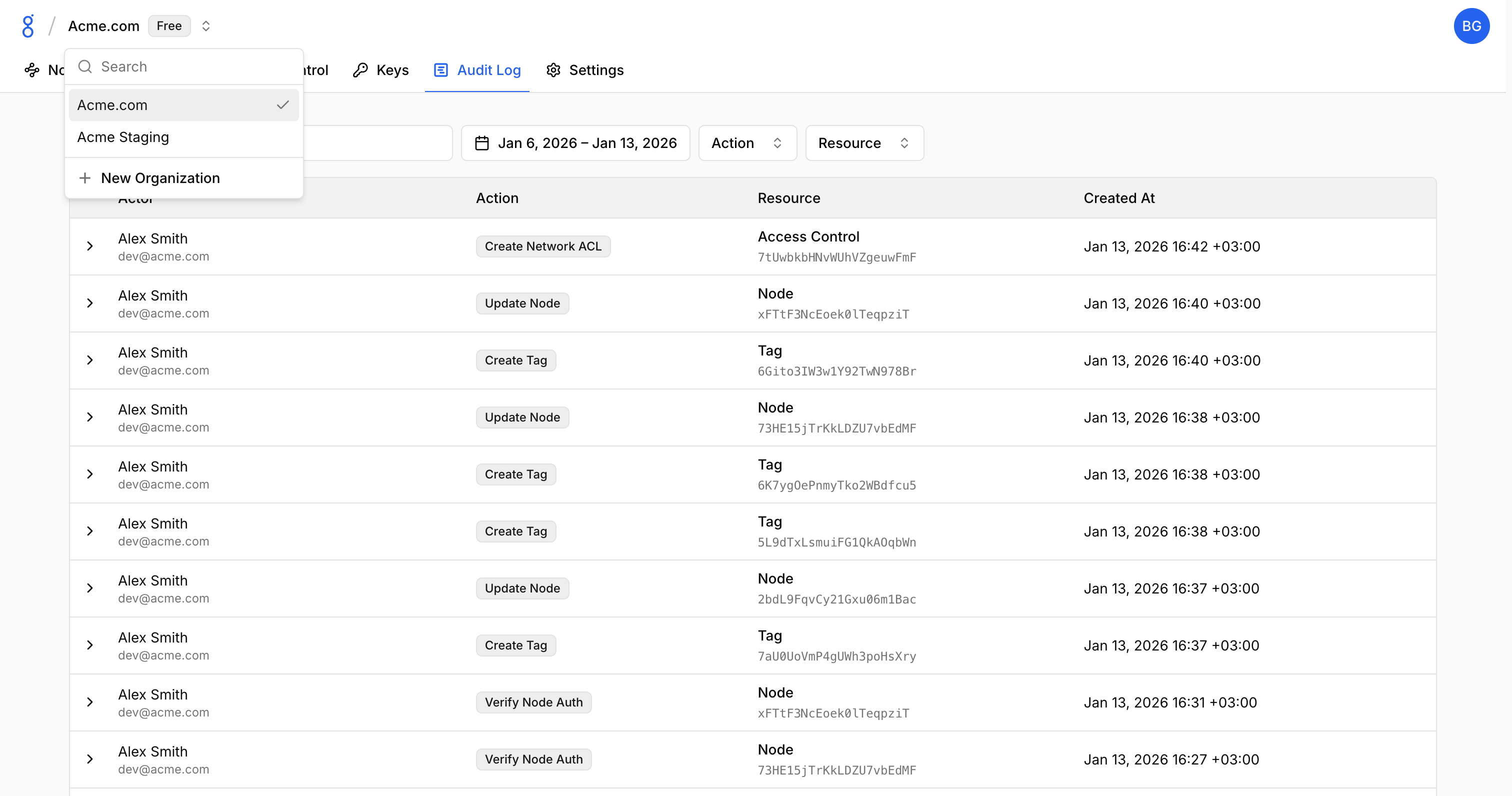
- Click the organization selector in the header
- Click New Organization
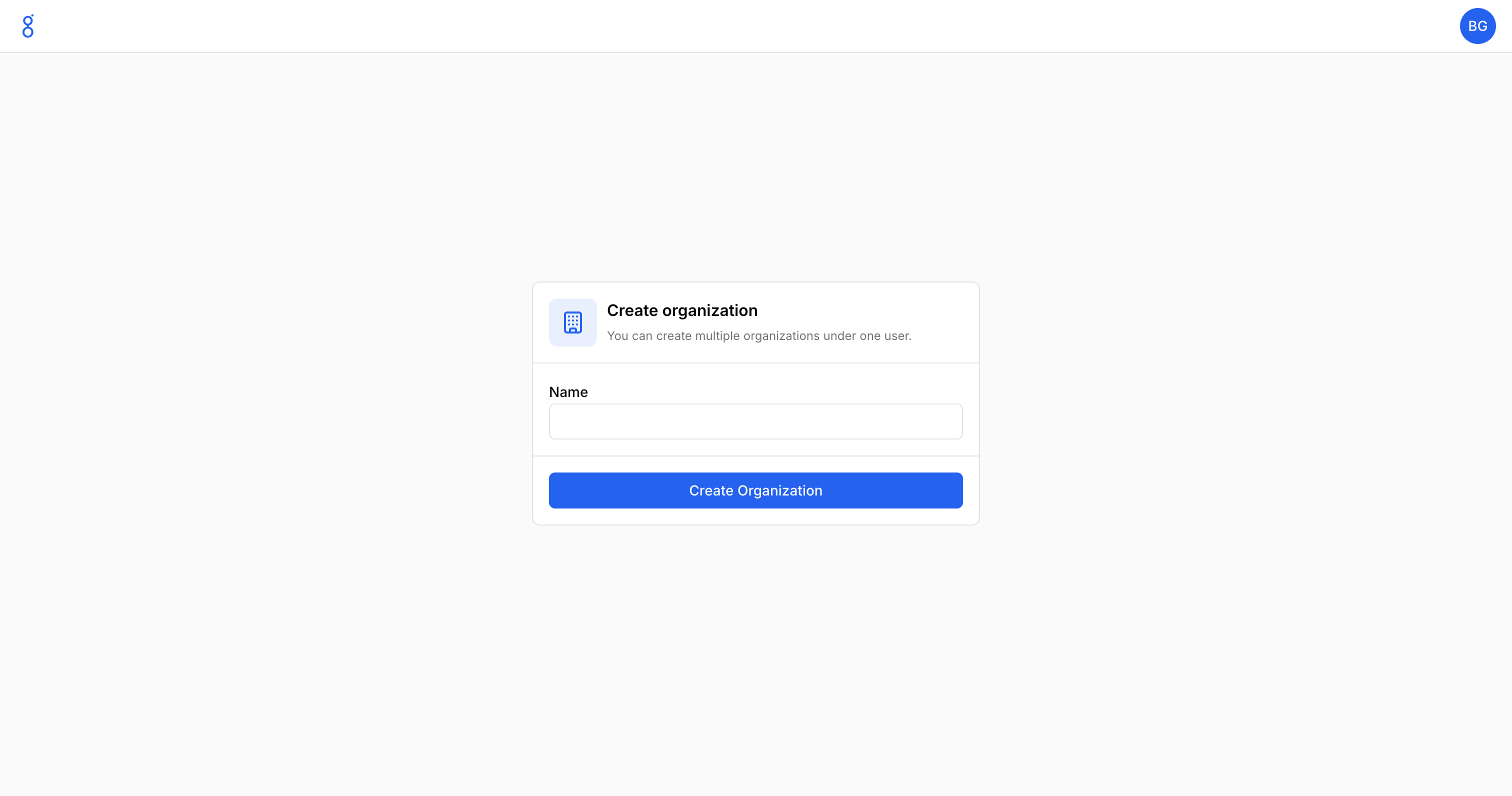
- Enter the organization name
- Click Create Organization
Organization Settings
Access settings via Settings in the sidebar.
General
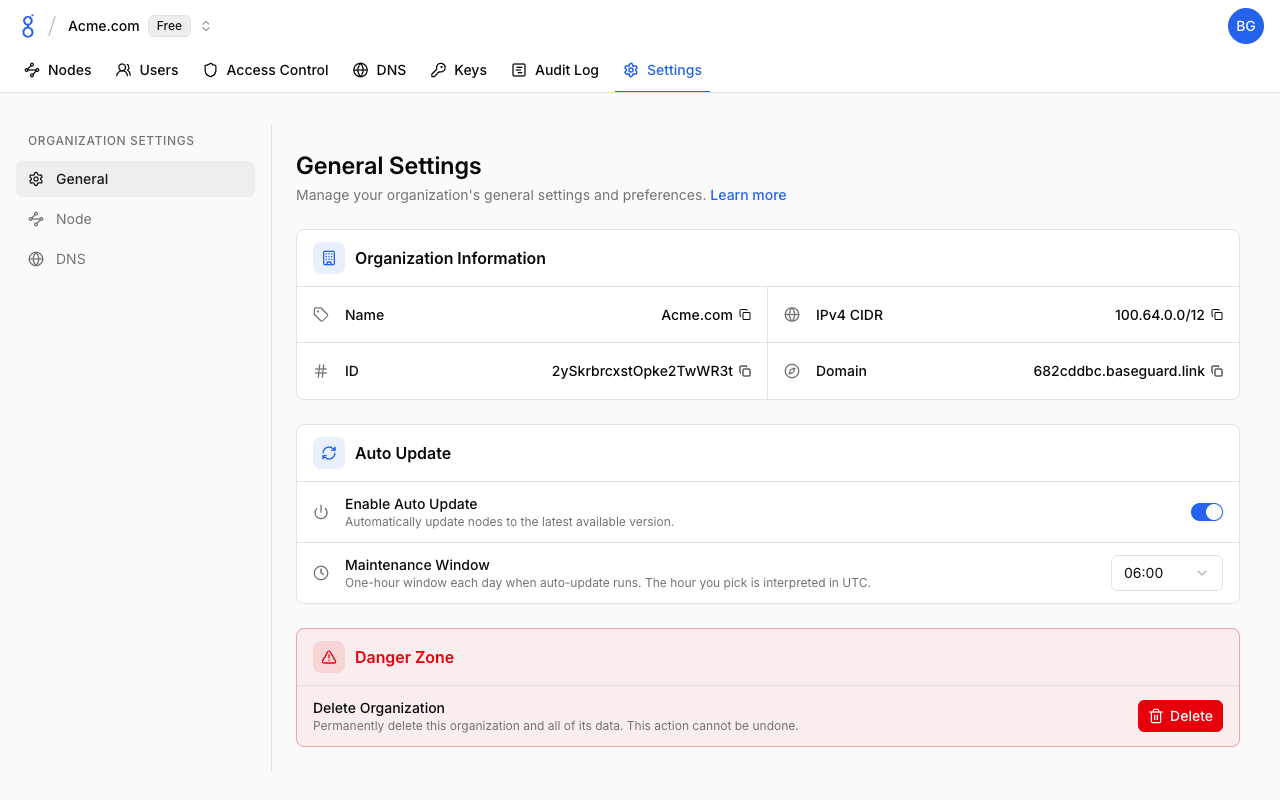
- Name: Organization display name
- ID: Unique organization identifier
- IPv4 CIDR: Overlay network range
- Domain: DNS suffix
Auto Update
The Auto Update card (visible to owners and admins) controls whether nodes upgrade themselves to new Baseguard releases:
- Enable Auto Update: Automatically update nodes to the latest available version. Enabled by default.
- Maintenance Window: One-hour window each day when auto-update runs. The hour you pick is interpreted in UTC (default
06:00).
How it works:
- Each connected node periodically checks for a newer release and installs it only inside the maintenance window, at most once per window.
- Releases are downloaded from GitHub Releases and verified with Ed25519 signatures before installation; an update that fails verification is never installed.
- The daemon restarts itself after installing; the node reconnects automatically within seconds.
- Mobile apps (iOS/Android) are updated through the app stores and are not affected by this setting.
You can also trigger an update immediately for a single node from the Nodes page, or on the device itself with baseguard update. Both work regardless of the Auto Update toggle.
DNS
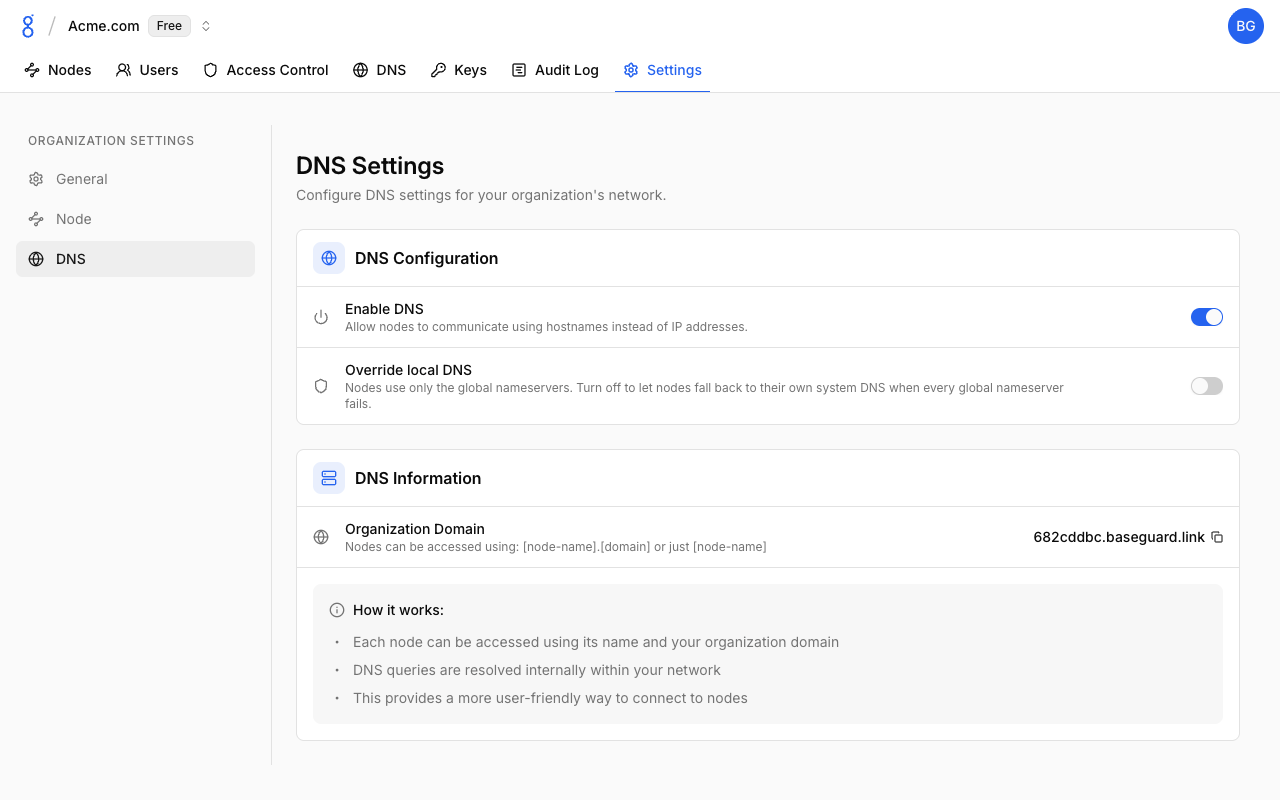
- Enable DNS: Let nodes reach each other by hostname and apply nameservers, search domains, and records
- Override local DNS: Use only the configured global nameservers, with no fallback to the nodes' system resolvers
- Organization Domain: Suffix used for node names, e.g.
server-01.abc123.baseguard.link
See DNS for details.
Node Settings
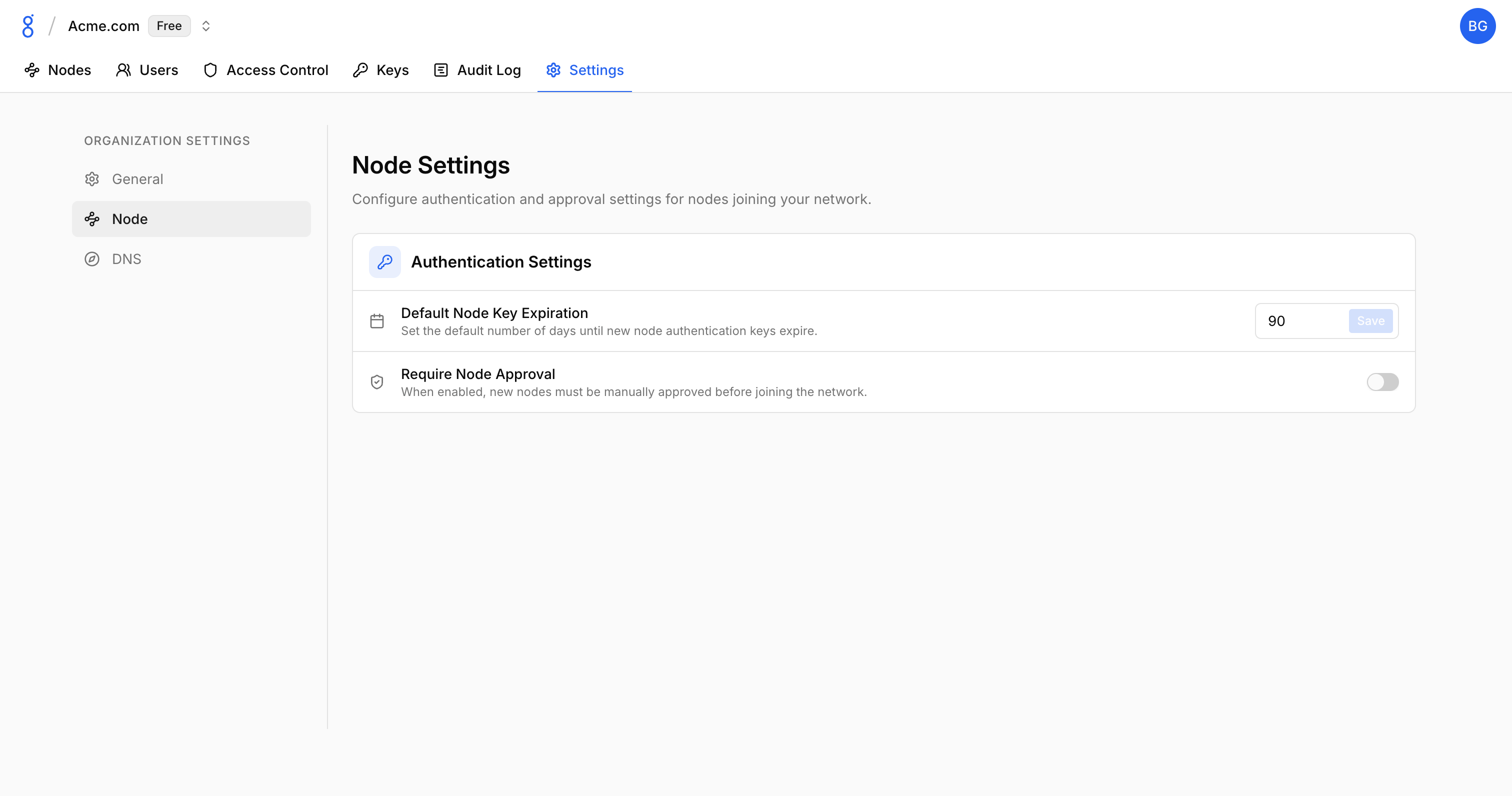
- Default Node Key Expiration: Days until node keys expire
- Node Approval: Require admin approval for new devices
Switching Organizations
If you belong to multiple organizations:
- Click the organization selector
- Choose the desired organization
- Console refreshes with new organization context
Deleting an Organization
Only organization owners can delete:
- Go to Settings
- Scroll to Danger Zone
- Click Delete Organization
- Confirm by typing organization name
Warning: This permanently deletes all organization data, nodes, and configuration.
See Also
- Organizations Concept — How organizations work
- Users — Managing organization members
- API Reference — Manage organizations programmatically
- CLI Organizations — List organizations from CLI
- CLI Switch Organization — Switch between organizations