

API Keys
Authenticate programmatic API access
API keys authenticate requests to the Baseguard REST API. Use them for infrastructure automation, custom integrations, and programmatic management of your network.
Creating API Keys
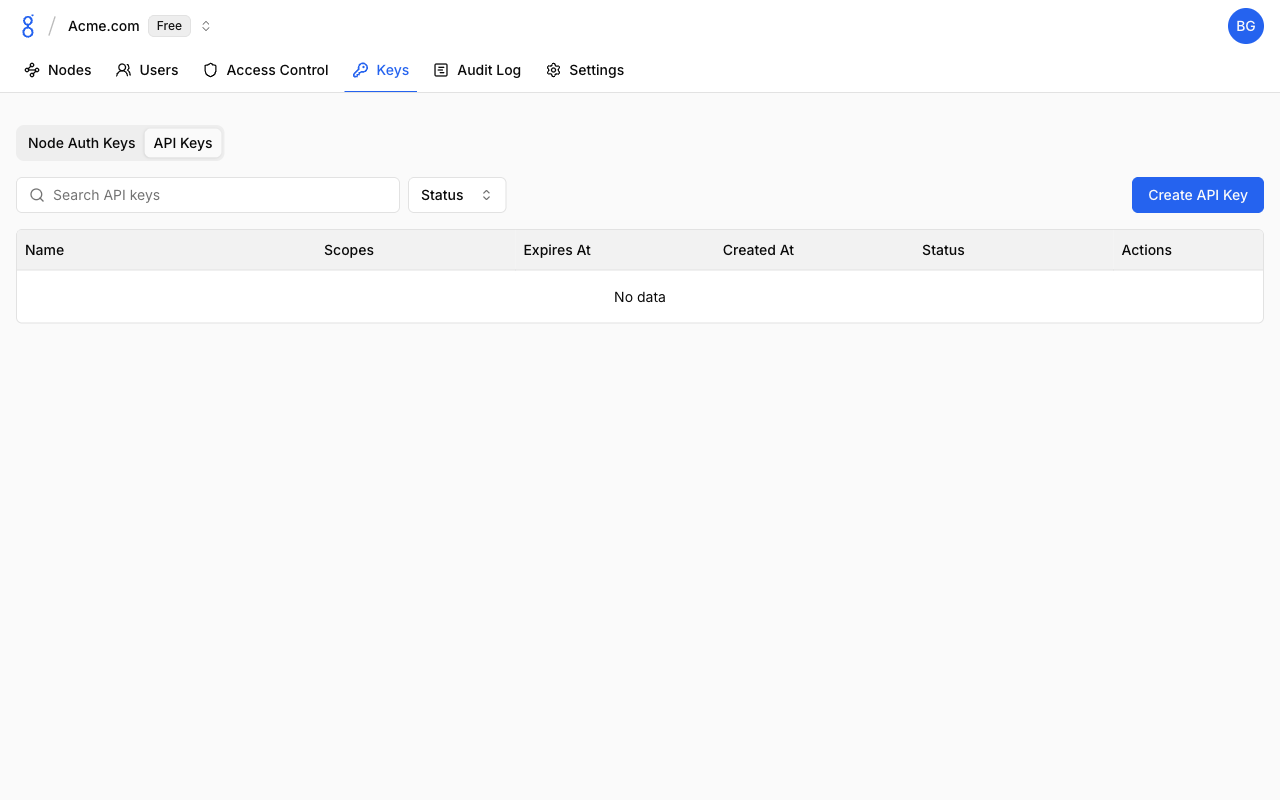
- Go to Keys and click the API Keys tab
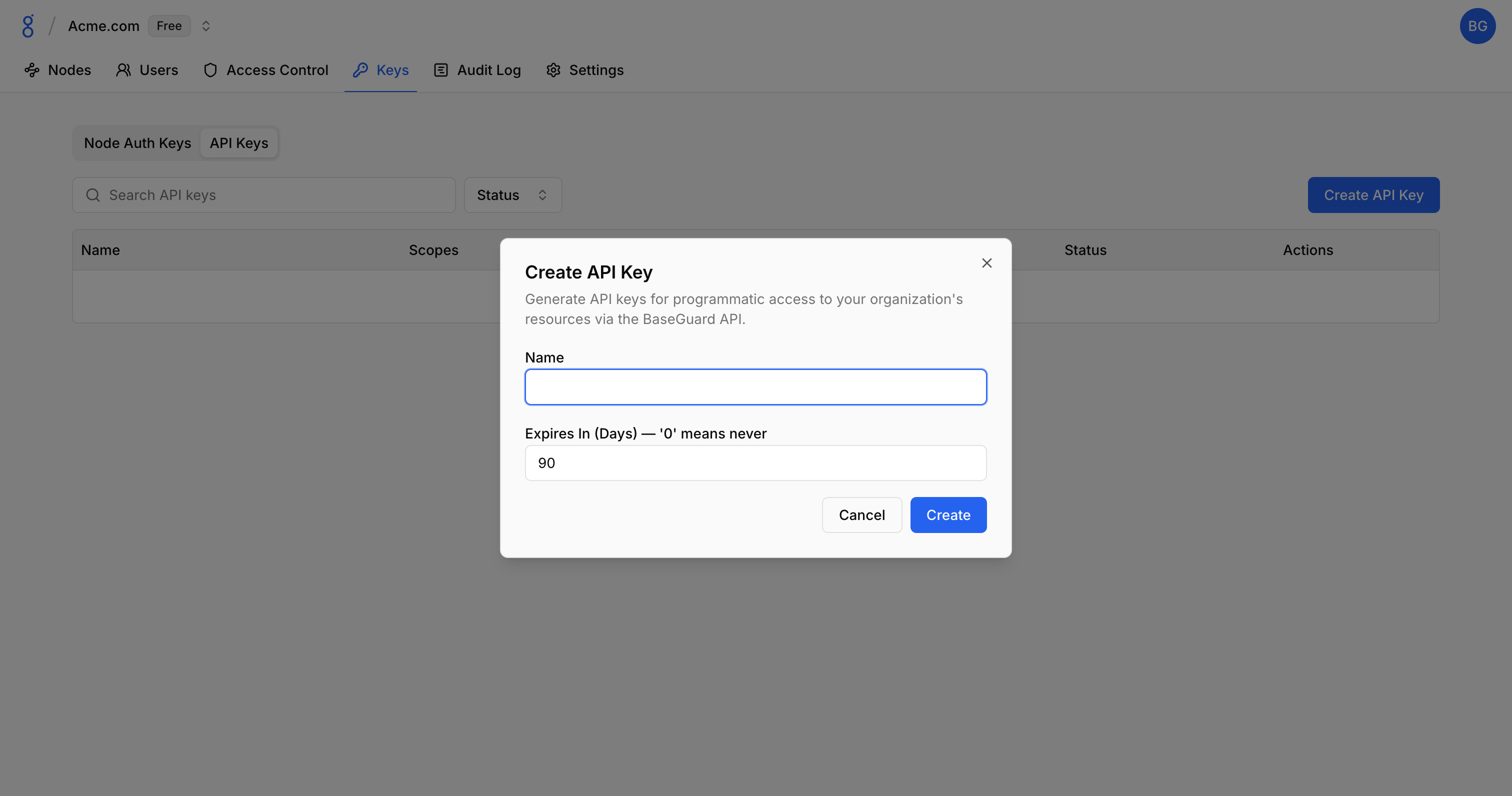
- Click Create API Key
- Configure:
- Name: Descriptive name
- Expires In (Days): When the key expires (0 = never)
- Click Create
- Copy the key (shown only once)
Troubleshooting
See Troubleshooting — API Issues for solutions to 401, 403, and 404 errors.
See Also
- API Reference — Full API documentation
- Authentication — Auth overview
- Audit Logs — Track API key usage
- Node Auth Keys — Device enrollment keys