

Tags
Organize nodes with tags for access control
Tags are labels you assign to nodes to group them for access control purposes. They form the foundation of Baseguard's zero-trust security model.
What are Tags?
Tags are simple strings that categorize nodes:
production- Production serversstaging- Staging environmentdatabase- Database serversteam-backend- Backend team's devices
A node can have multiple tags.
Why Use Tags?
Tags provide several advantages over IP-based access control:
| IP-Based | Tag-Based |
|---|---|
10.0.1.5 → 10.0.2.10 | [web] → [database] |
| Breaks when IPs change | Stable across changes |
| Hard to understand | Self-documenting |
| Manual updates needed | Automatic application |
Creating Tags
In the Console
In the Baseguard console:
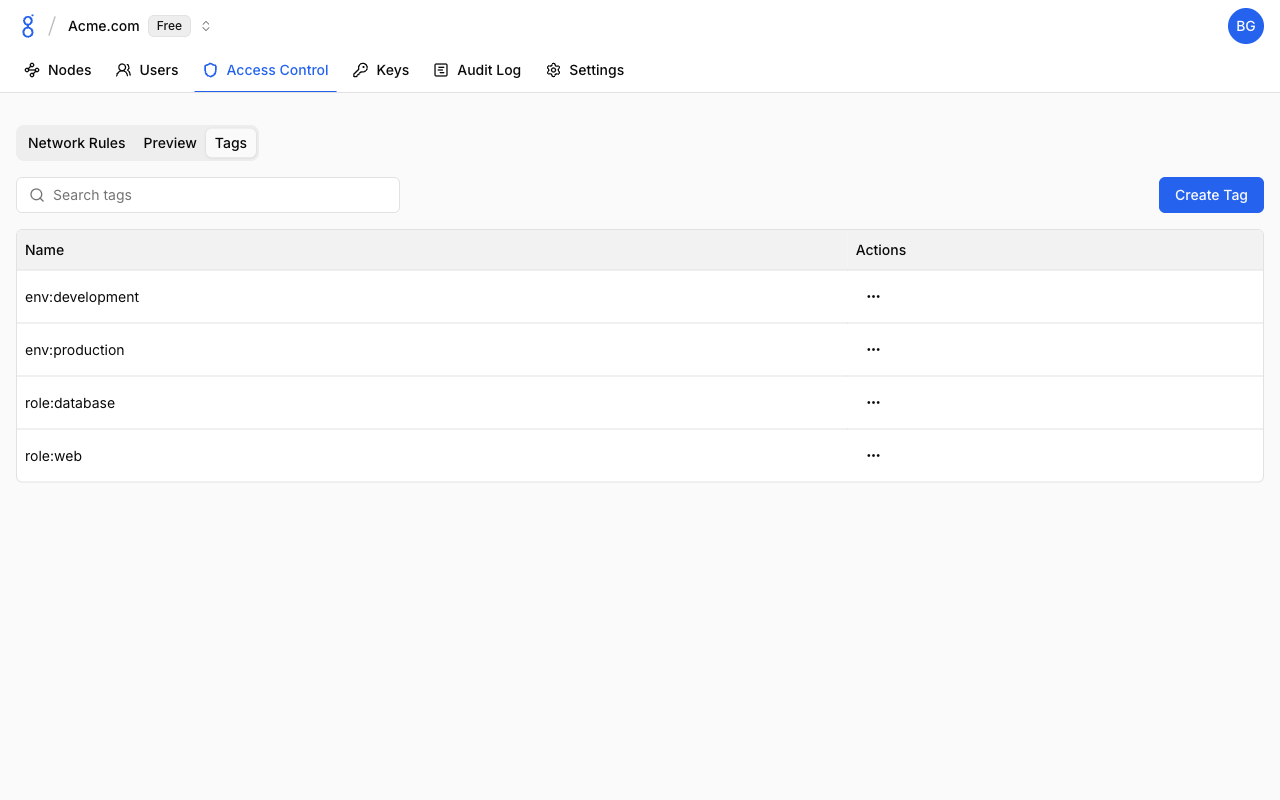
- Navigate to Access Control > Tags
- Click Create Tag
- Enter the tag name
- Click Create
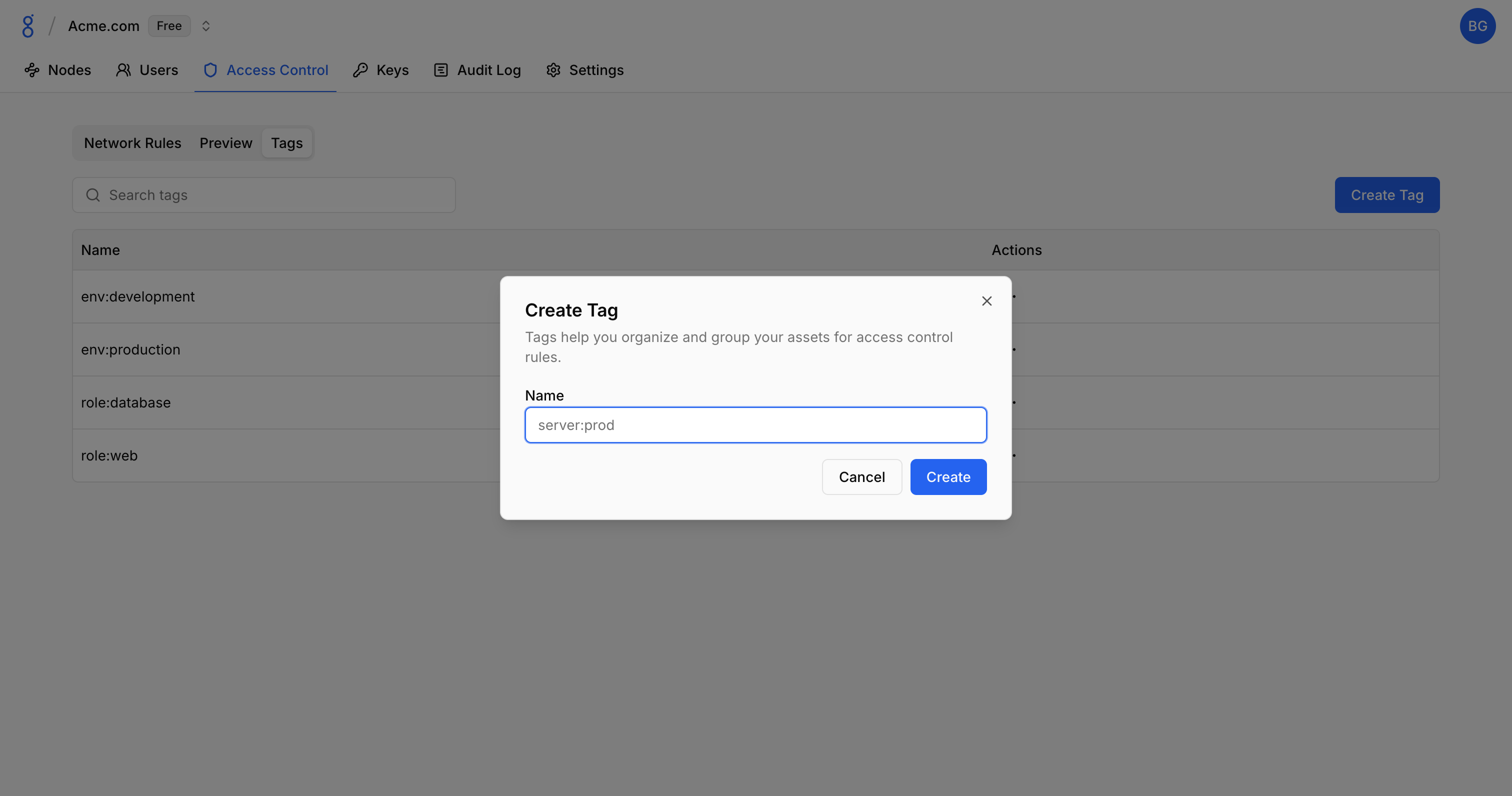
You can also create tags via the API.
Naming Conventions
Recommended patterns:
| Pattern | Examples |
|---|---|
| Environment | production, staging, development |
| Function | web, api, database, cache |
| Team | team-platform, team-security |
| Location | us-east, eu-west |
| Security level | pci, hipaa, internal |
Best practices:
- Use lowercase with hyphens:
web-frontend - Be descriptive:
postgres-primaryoverdb1 - Keep consistent: Pick a convention and stick to it
Assigning Tags to Nodes
In the Console
- Go to Nodes
- Click on a node
- In the Tags section, click Add Tag
- Select existing tag or create new
- Save changes
Via Auth Keys
Tags can also be pre-assigned through node auth keys.
Tag Usage in ACLs
Tags define the source and destination in ACL rules:
Rule: Allow web to database
Source Tags: [web]
Destination Tags: [database]
Protocol: TCP
Ports: 5432
Special Cases
Empty source tags = All nodes
Source: []
Destination: [database]
→ Any node can reach database nodes
Empty destination tags = All nodes
Source: [admin]
Destination: []
→ Admin nodes can reach any node
Both empty = All to all
Source: []
Destination: []
→ All nodes can reach all nodes
Viewing Tag Usage
See Which Nodes Have a Tag
- Go to Access Control > Tags
- Click on a tag
- View list of nodes with this tag
See Which ACLs Use a Tag
- Go to Access Control > Tags
- Click on a tag
- View list of ACLs referencing this tag
Managing Tags
Deleting Tags
- Go to Access Control > Tags
- Click on the tag
- Click Delete
- Confirm
Troubleshooting
See Troubleshooting — Access Control Issues for solutions to ACL matching and tag problems.
See Also
- Network Rules — Create access rules using tags
- API Reference — Manage tags programmatically
- Node Management — Managing nodes and their tags
- Node Auth Keys — Pre-assign tags to new nodes